Personal style studio · iPhone

Meet Your AfterLook

Explore a look before you commit to it. Keep the features that make you you. Try a new cut, colour, beard, brows, makeup or glasses on your own photo first.

Coming soon to theApp Store Free — your first Reveal
Original AI preview Real result Private
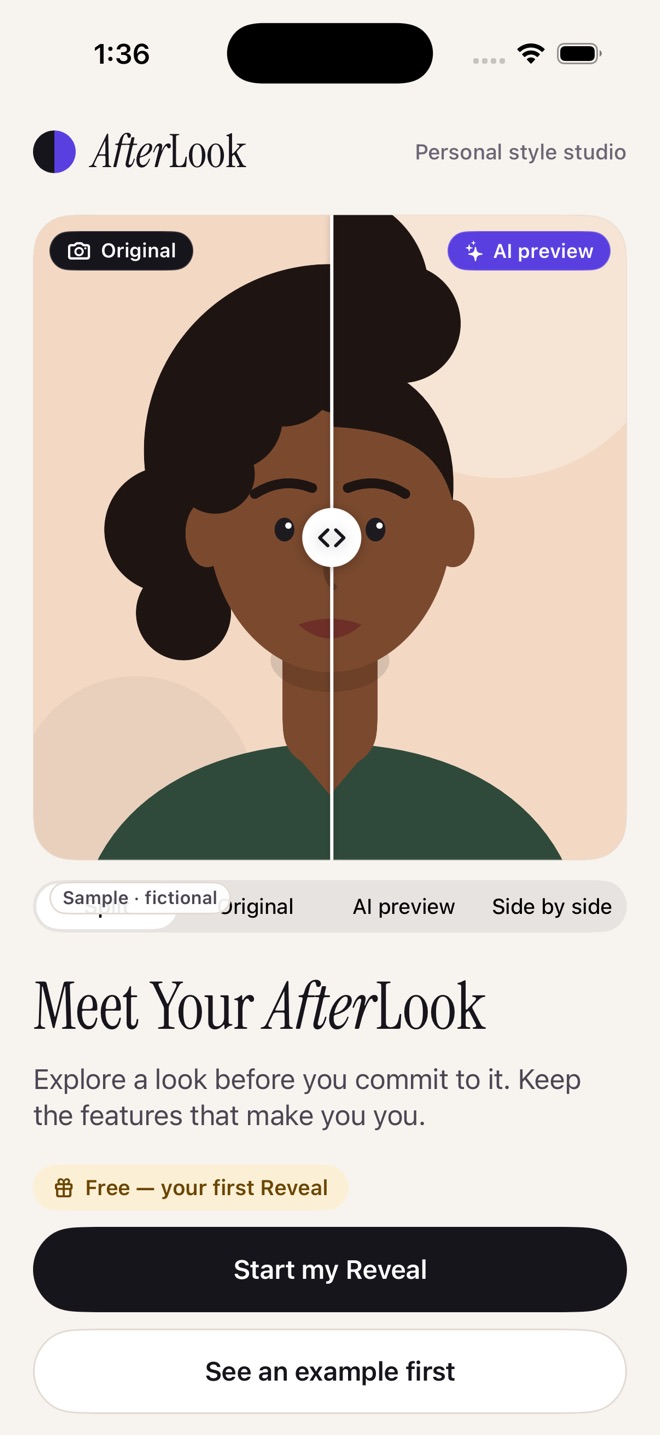
Original on the left. AI preview on the right.Same crop, same you.

How it works

Change one thing. See it first.

No vague makeover prompt. You pick the change, see exactly what it will cost, and compare the result against your real, untouched photo.

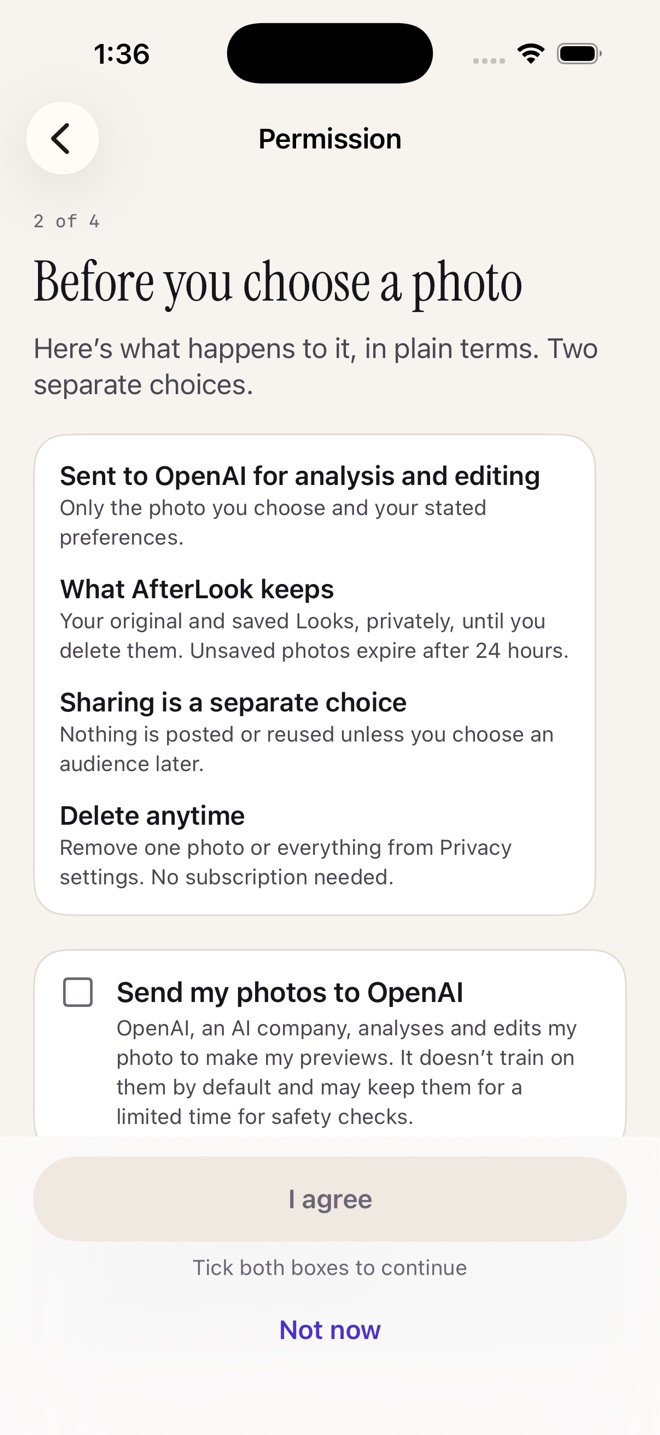
  1. AfterLook permission screen explaining that the chosen photo is sent to OpenAI for analysis and editing, what AfterLook keeps, and that sharing is a separate choice
    01

    Choose one photo

    Pick it from your library or take one. You see what is sent, what is kept and how to delete it before anything uploads.

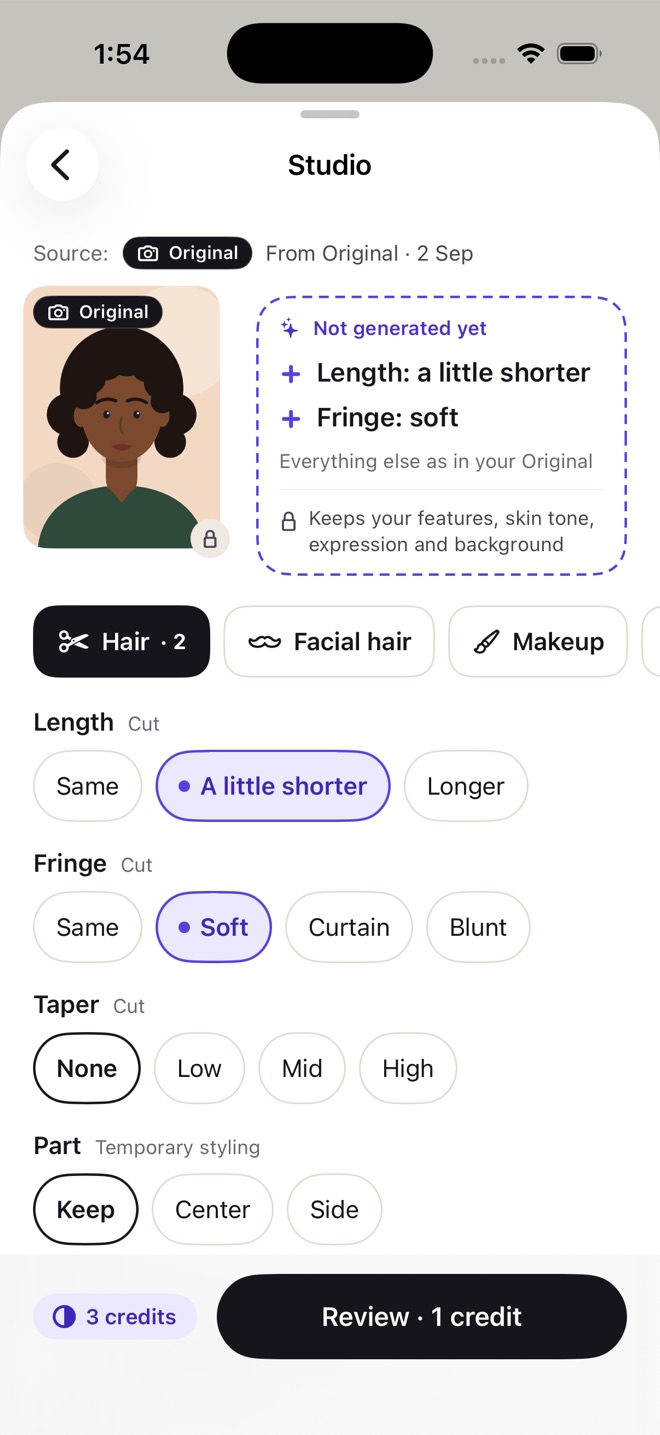
  2. Studio screen with hair controls for length, fringe, taper and part, and a pending plan marked Not generated yet
    02

    Change one thing

    Length a little shorter, a soft fringe, a beard outline. Choices build a plan marked “Not generated yet”.

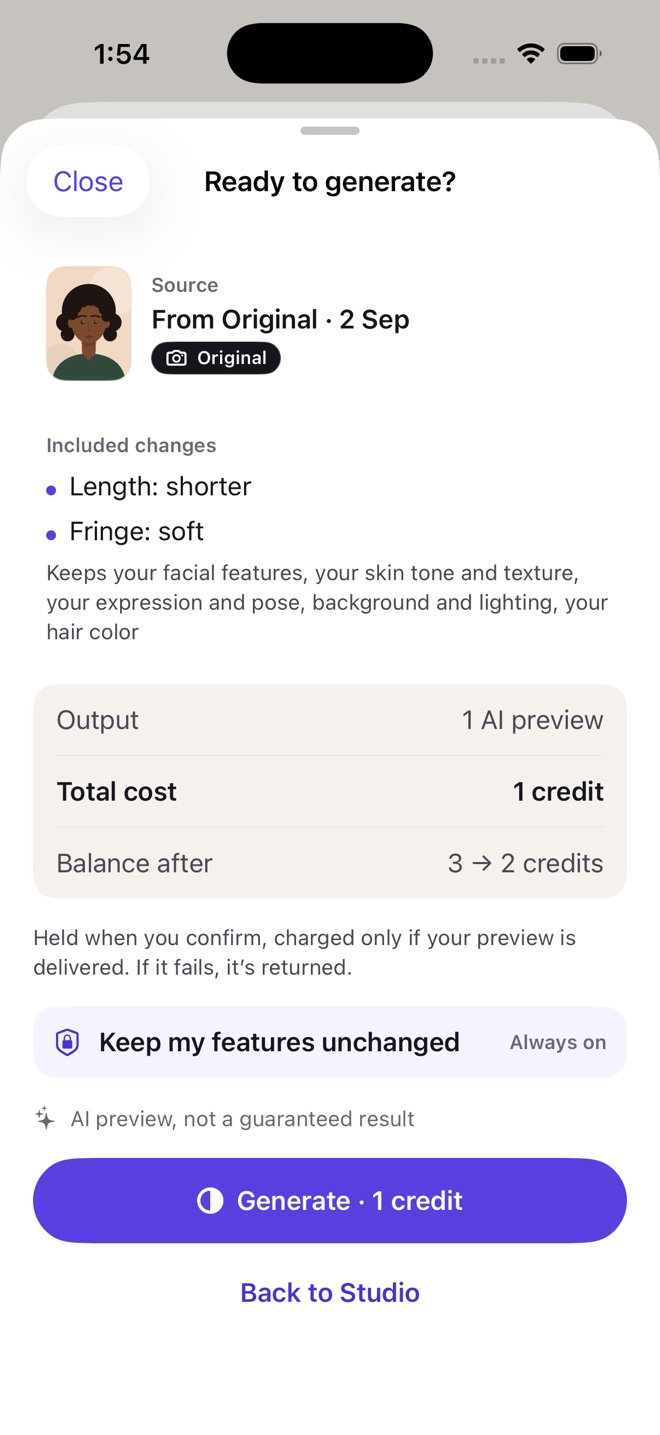
  3. Ready to generate sheet showing the included changes, a total cost of 1 credit and Keep my features unchanged, always on
    03

    See the cost first

    Every generation shows its price before you tap Generate. If a preview fails, the credit comes back.

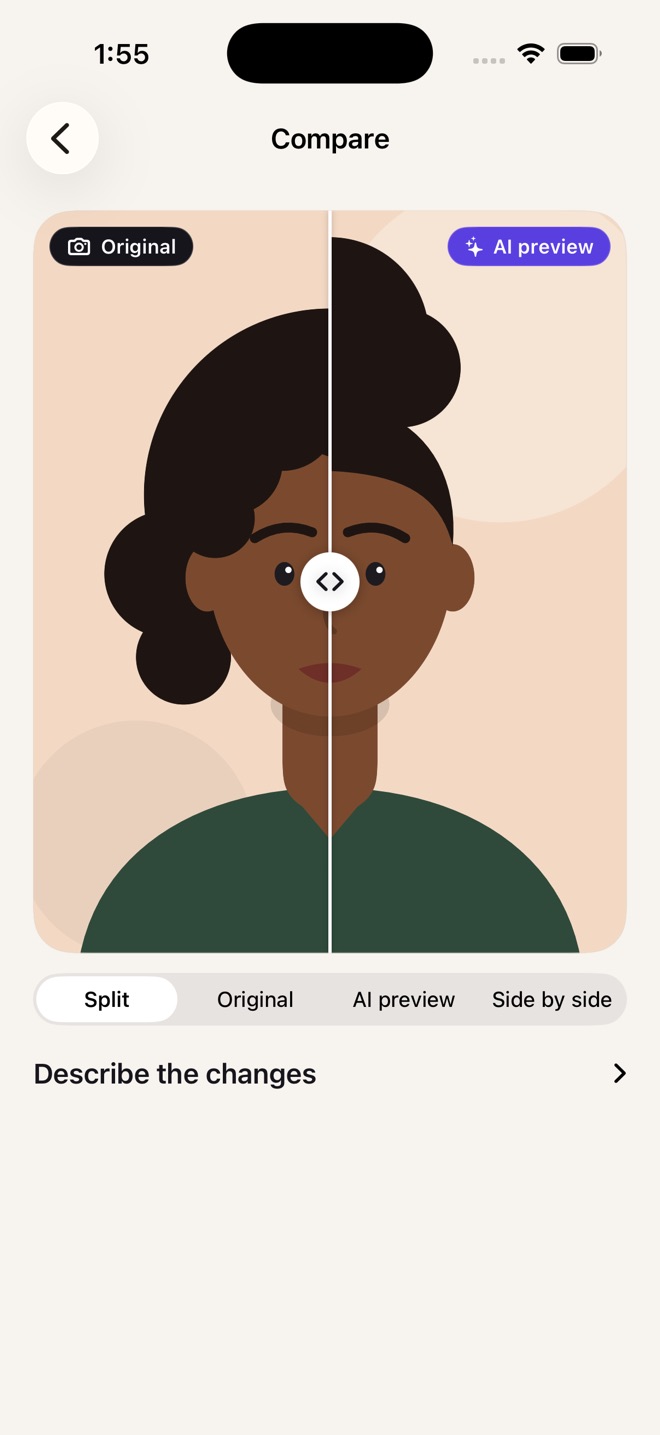
  4. Compare screen with a split slider between the Original photo and the AI preview
    04

    Compare honestly

    Slide between your Original and the AI preview, same crop and scale. Save the Look privately, or keep exploring.

Inside AfterLook

From a preview to the real thing.

AfterLook welcome screen with a split comparison and the line Meet Your AfterLook
Hair · Facial hair · Brows · Makeup · Glasses

Your first Reveal is on us.

Add one clear photo and answer one question: what would you like to explore? AfterLook returns an edited portrait, a matched comparison and a few practical styling suggestions, each with the reason, the effort involved and what was deliberately left unchanged.

  • Subtle or more expressive, never a different face
  • No beauty scores, no face ratings
  • “Not quite me”? Tell us what drifted and get a fix
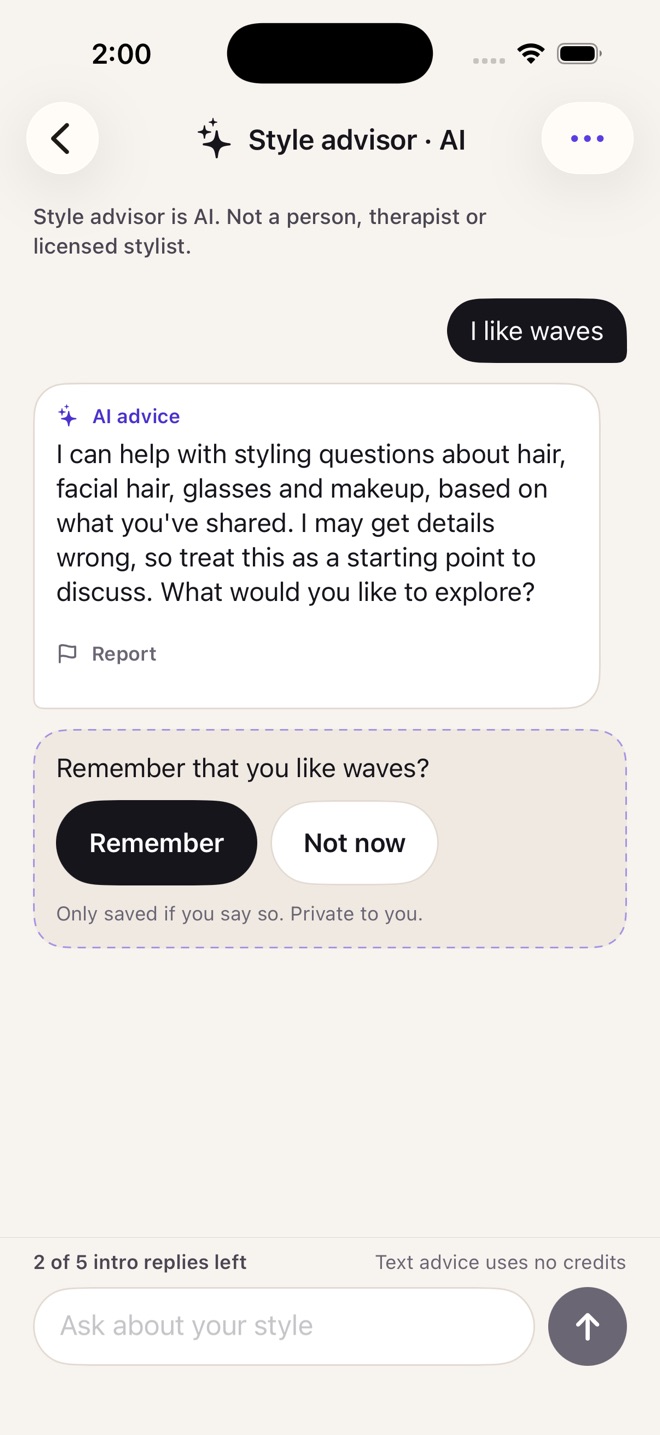
Style advisor chat, clearly labelled AI, answering a question about waves and asking whether to remember the preference
Style advisor · AI

Advice that remembers, only when you say so.

Ask the style advisor about cuts, facial hair, glasses and makeup based on what you’ve shared. It is always labelled as AI, never a person, therapist or stylist.

  • It asks before remembering a preference
  • See and remove everything it remembers
  • Text advice never spends an image credit
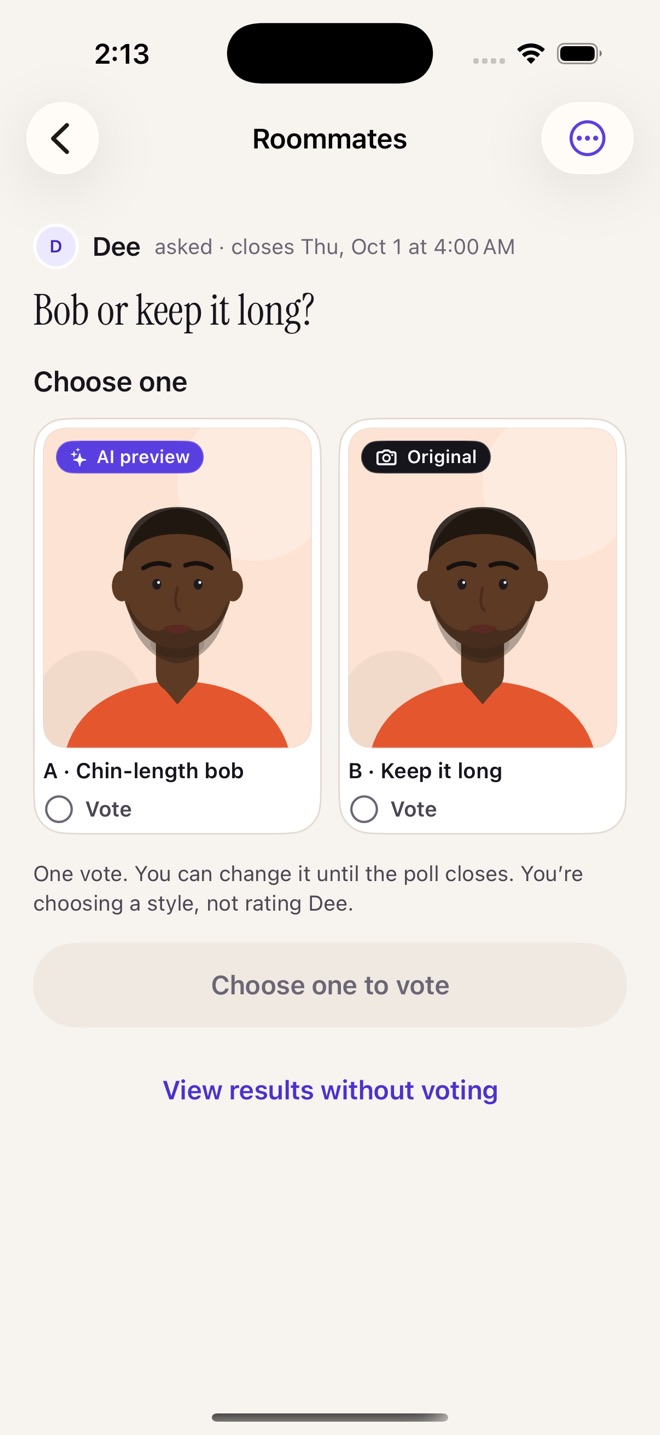
A private Circle poll asking Bob or keep it long, with two AI preview options to vote on
Private Circles

Ask the people whose opinion you trust.

Circles are small, invite-only groups for style feedback. Post a Look or start a poll between two to four options — “Bob or keep it long?” — and see real votes from real people.

  • Polls are about your styling choices, never about people
  • No fake votes. A tie stays a tie
  • Report, block and mute, on every plan
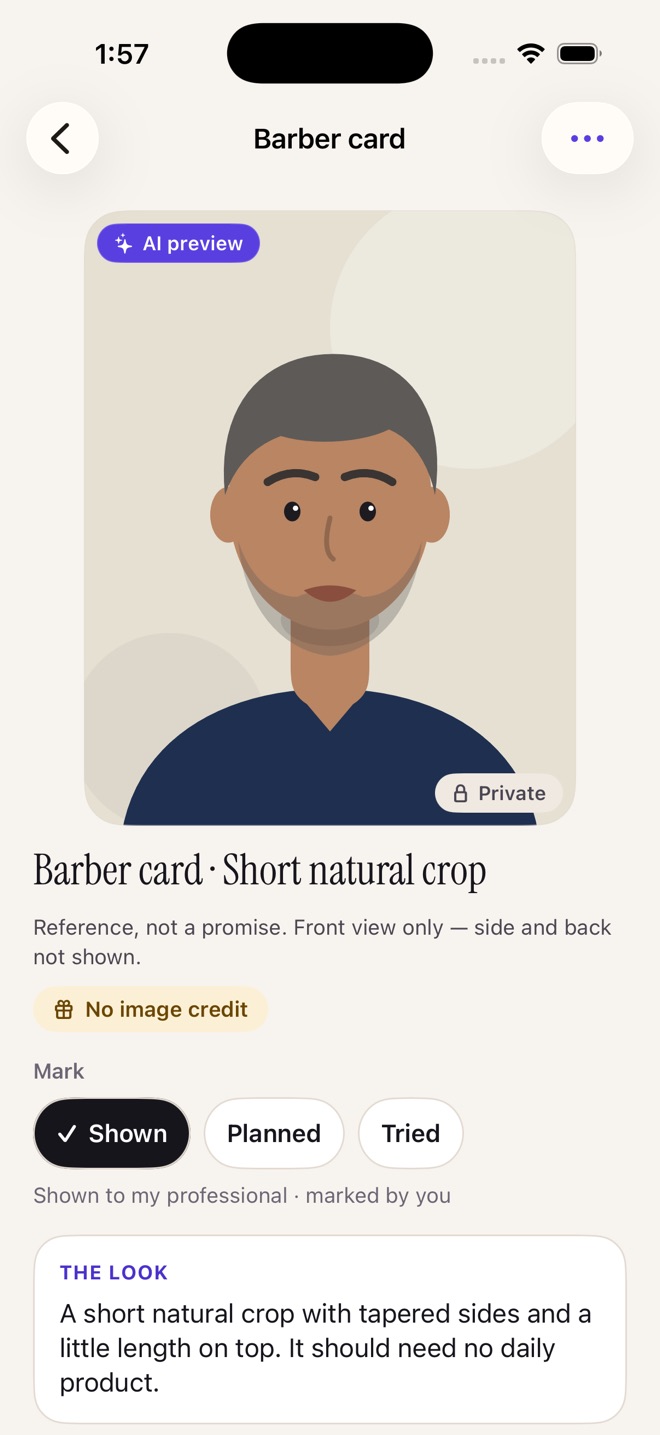
Barber card for a short natural crop with an AI preview, a clear description and a Show my barber control
Get this look

Hand your barber a card, not a vague description.

Turn a Look into a Barber, Stylist, Colorist, Brow or Makeup card: what to change, what to keep, questions to ask and what upkeep looks like. “Show my barber” walks through the changes one by one.

  • Suggested ranges to discuss, not invented measurements
  • Mark it shown, planned or tried
  • Export a readable card to share
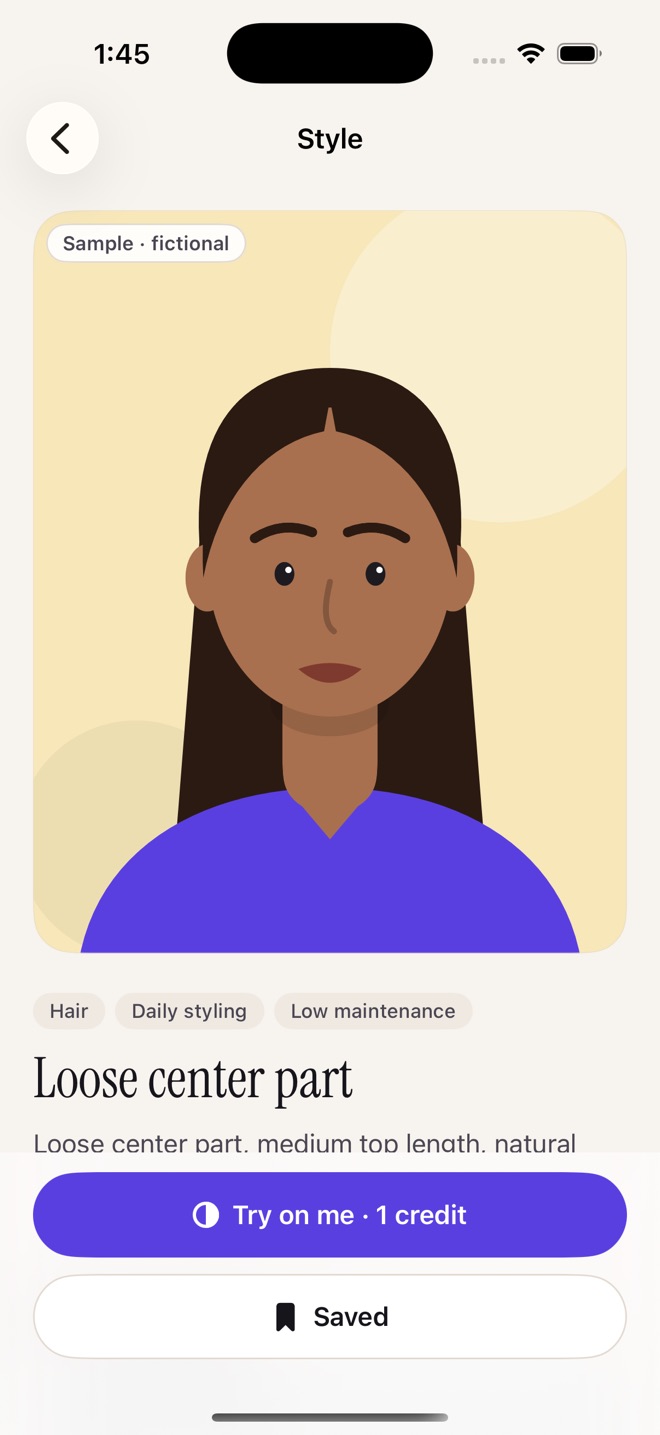
Discover recipe for a loose center part, labelled Sample · fictional, with a Try on me button costing 1 credit
Discover · Daily Drop · Journey

Browse a style. Try it on you.

Discover curated style recipes, then tap Try on me to see one on your own photo. Plan for an event, join the optional weekly Drop, and keep a private Journey of what you explored and what you actually tried.

  • AI previews and real photos are always labelled apart
  • No streaks, no pressure to “fix” anything daily
  • Journey works without a subscription

What AfterLook will never do

Keep my features unchanged.

Always on, on every plan. It is not a premium upgrade.

i.

Your face stays yours

No smaller nose, slimmer face, bigger eyes, lighter skin or different age by default. Skin texture and identifying features are kept.

ii.

The Original is the original

The left side of every comparison is the photo you uploaded, stored untouched, never a model’s reconstruction.

iii.

AI is always labelled

“AI preview” and “Real result” are never interchangeable, in the app, in exports, in polls and on your timeline.

iv.

Private by default

Saving never publishes. Sharing is a separate choice with an audience you pick.

v.

No scores, no rankings

No beauty scores, face-symmetry ratings or “who’s hotter” polls. Ever.

vi.

Only you, only yours

Every photo must show only you. In a group shot, you pick your face and everyone else is blurred before upload.

Credits, plainly

You only pay when you tap Generate.

How credits work

One credit makes one new AI preview. Plans add credits every month; credit packs are one-time purchases that never renew.

  • 01Choosing options never spends a credit.
  • 02You see the cost before every generation, and nothing is spent until you tap Generate.
  • 03If a preview fails, the credit goes back to you.
  • 04Credits you receive never expire. Plans add more each month.

Always free, on every plan.

Your first Reveal, plus the things that should never sit behind a paywall.

CirclesPollsSavesExportsJourneyDeleting your dataSafety & support
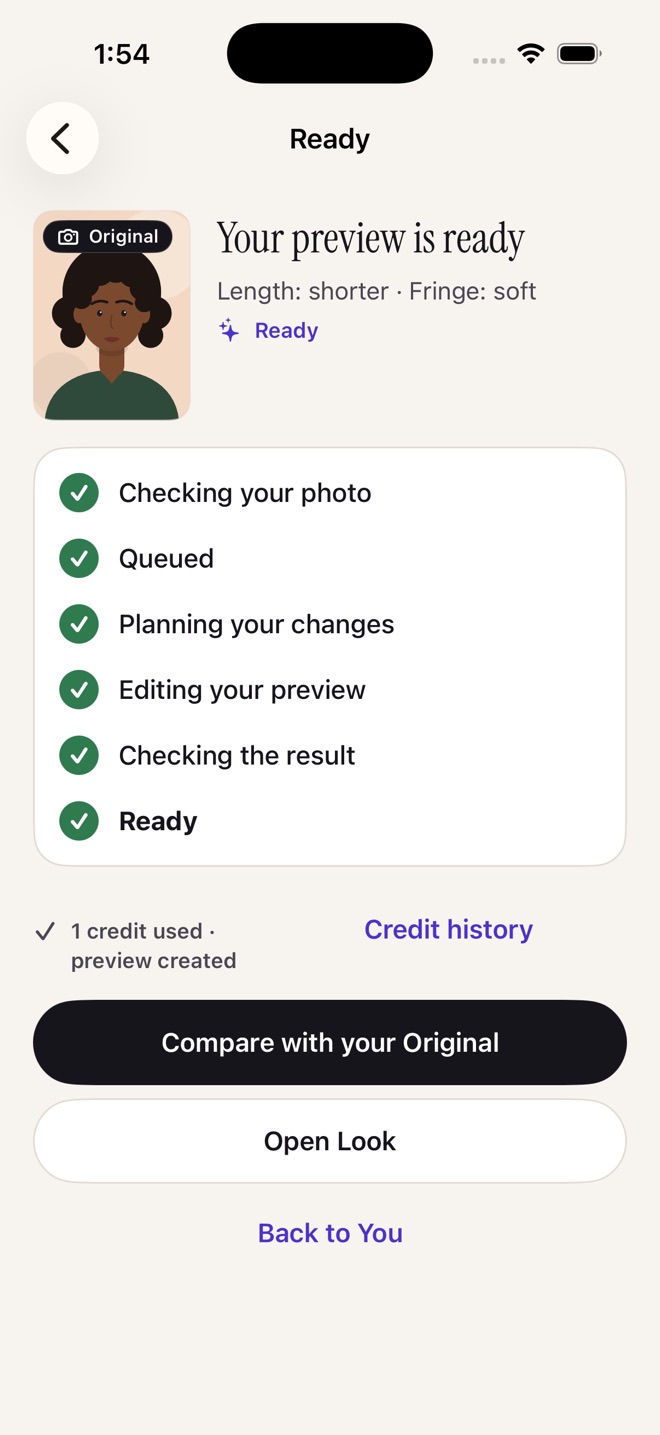
Your preview is ready screen listing each stage: checking your photo, queued, planning, editing and checking the result

Your photos

Before we start, in plain terms.

  • 01Sent to OpenAI for analysis and editingOnly the photo you choose and your stated preferences. Not used to train AI models.
  • 02What AfterLook keepsYour original and saved Looks, privately, until you delete them. Unsaved photos expire after 24 hours.
  • 03Sharing is a separate choiceNothing is posted or reused unless you choose an audience later.
  • 04Delete anytimeRemove one photo or everything from Privacy settings. No subscription needed.

Read the full privacy policy →

AfterLook app icon: a circle split between ink and violet

See the change before you make it.

AfterLook is coming to iPhone. For ages 16 and up; 16- and 17-year-olds need a parent or guardian to approve before any photo is uploaded.

Coming soon to theApp Store

Questions? faraz@autosolvelabs.com